Step 1.
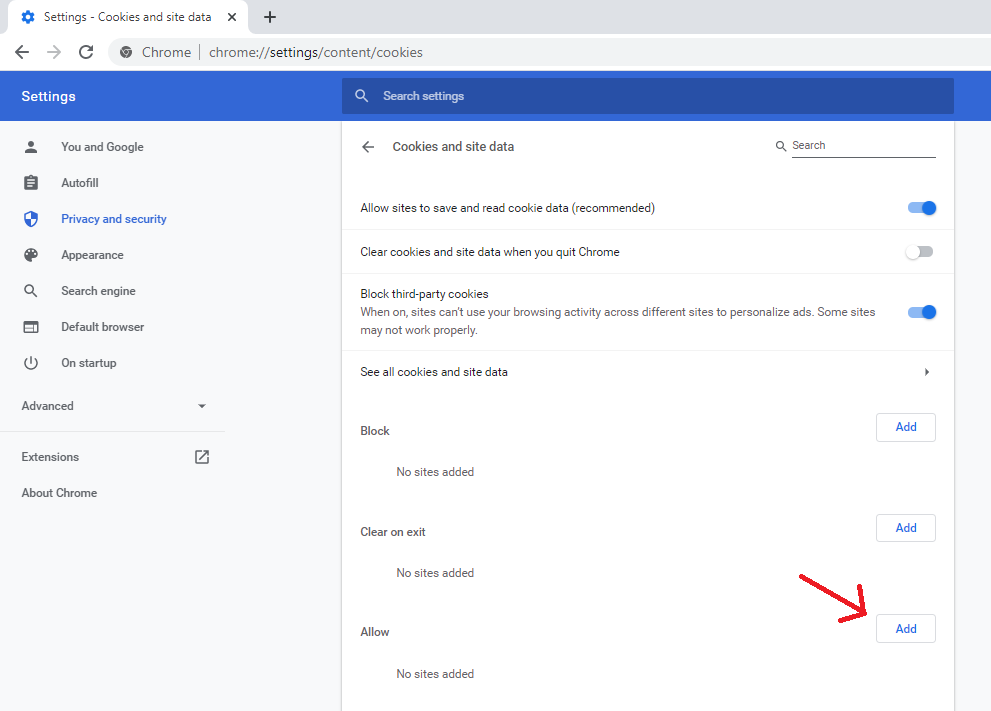
Open a new tab and navigate to chrome://settings/content/cookies. You should see a page that looks like the below image. Note the red arrow, we will be clicking that next.
Step 2.
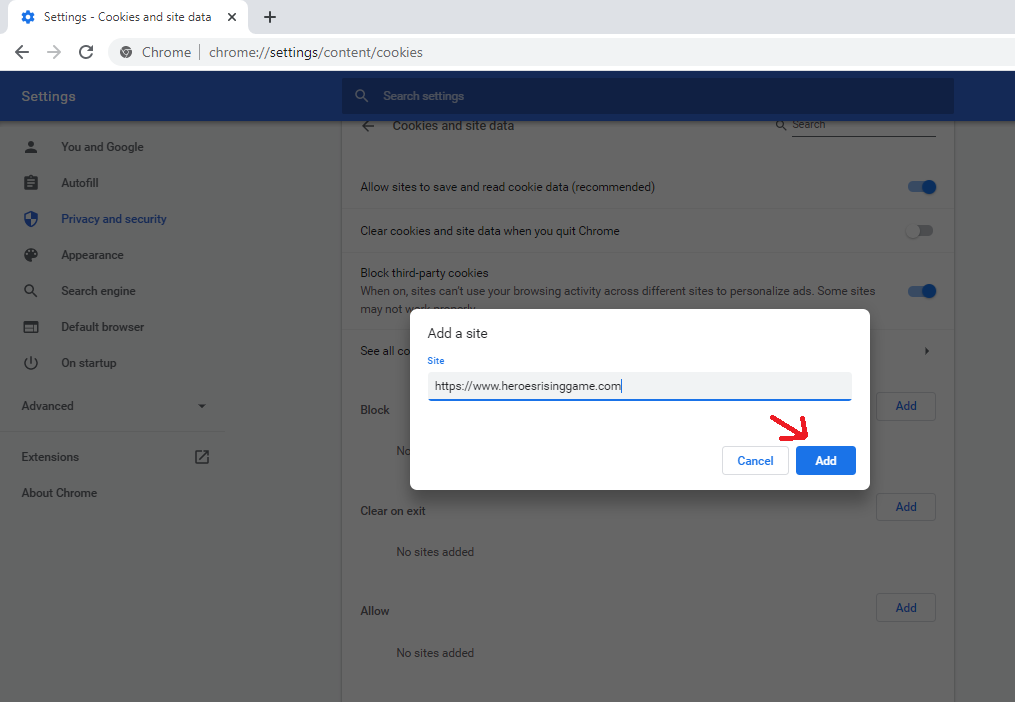
Click the "Add" button as indicated in the above screenshot. Type in exactly https://www.heroesrisinggame.com and click the "Add" button.
Step 3.
You're done! You should be able to go to the facebook tab with Heroes Rising, click the "Login" button, and successfully play!